OpenDub
ExperimentoDobla vídeos de YouTube al español con voz sintética sincronizada (whisper, Claude, edge-tts).
Más información Abrir en GitHub →
A personal tool that dubs YouTube videos into Spanish with a synthetic voice, kept in sync with the original.
URL → download (yt-dlp) → transcription (subtitles or faster-whisper)
    → separation (HTDemucs) → translation (Claude)
    → voice (Chatterbox, IndexTTS, CosyVoice or edge-tts) → mix (numpy + ffmpeg) → MP4
How each piece works: docs/architecture.md.
Installation
macOS (Apple Silicon):
brew install ffmpeg uv
uv sync
Ubuntu (optionally with an NVIDIA GPU):
sudo apt install ffmpeg
curl -LsSf https://astral.sh/uv/install.sh | sh
uv sync
Voice/music separation (--separate) needs an optional extra: it installs
demucs-mlx on Apple Silicon, and demucs with PyTorch (CUDA 12.8 wheels, which RTX
50-series GPUs require) on Linux:
uv sync --extra separate
On Linux, whisper and the separator use the NVIDIA GPU automatically when one is available; on a Mac, whisper runs on the CPU and the separator on the Apple GPU.
Voice cloning (--tts clone) needs another extra, with Chatterbox Multilingual V3
(installed from a pinned GitHub commit, since it isn't on PyPI yet). It also needs
the separation, so install both:
uv sync --extra separate --extra clone
The other two cloning engines, IndexTTS-2.5 (--engine indextts) and
CosyVoice 3 (--engine cosyvoice), pin their own Python and PyTorch, so each
lives in a separate venv and runs as a separate process. setup-engine clones a
pinned commit of its repo, creates that venv and downloads the weights into
~/.local/share/opendub/<engine> (or $OPENDUB_INDEXTTS_DIR,
$OPENDUB_COSYVOICE_DIR):
uv run opendub setup-engine indextts   # ~5 GB, plus ~5 GB of auxiliary models on the first run
uv run opendub setup-engine cosyvoice  # ~9 GB
IndexTTS's venv comes from its repo's own lockfile, plus flash-attn for its
acceleration engine (1.3× faster, same quality; without it if that fails).
CosyVoice's comes from engines/cosyvoice/pyproject.toml,
whose versions were checked on an RTX 5080 (its repo pins a PyTorch without RTX
50-series support). If an engine isn't installed, choosing it says which
command installs it. (setup-indextts still works too.)
There are two ways to translate:
- Claude subscription (default,
--backend cli): uses your Claude Code session. Install it and runclaudeonce to sign in:curl -fsSL https://claude.ai/install.sh | bash - API (
--backend api): copy.env.exampleto.envand fill inANTHROPIC_API_KEY. The same translation, billed per token instead of by the subscription: the way to go on if the subscription can't be used for this. - Local model (
--backend ollama): the same prompt on a model served by Ollama (OLLAMA_HOST, by defaulthttp://127.0.0.1:11434), so a dub needn't depend on Claude at all. The default model is Qwen3.6-35B-A3B (ollama pull qwen3.6:35b-a3b; another with--modelorOPENDUB_OLLAMA_MODELin.env). It also shortens what doesn't fit, and the model is unloaded from the GPU before the voice phase needs it. Set against Sonnet on six videos (docs/bench/README.md) it is as fast but less faithful (87% of sentences kept whole against 96%) and less precise with the length, so more sentences are shortened and late: Sonnet stays the default.
Usage
uv run opendub dub "https://www.youtube.com/watch?v=rwF-X5STYks" -o dubbed.mp4
Common dub options:
| Option | Default | What it does |
|---|---|---|
--voice |
es-ES-AlvaroNeural |
edge-tts voice (es-ES-ElviraNeural, es-MX-JorgeNeural…) |
--tts |
edge |
edge: the --voice voice · clone: the original speaker's voice, cloned from the separated vocals |
--engine |
auto |
Cloning engine for --tts clone: auto (CosyVoice when several people speak, Chatterbox for one voice; see below), chatterbox, indextts or cosyvoice |
--min-factor |
0.7 |
indextts, cosyvoice: lowest duration factor before shortening a sentence that doesn't fit |
--keep-translation |
off | Reuses the existing translation even if it was made for another engine: only TTS and the mix are redone |
--ref-per-sentence |
off | Experimental: clones each sentence of 3 s or more, with nobody else over it, from its own original voice (at its speaker's pace; the speaker's reference is the first fallback). Heard blind it tied with one reference per speaker |
--review |
off | Stops after the translation, to read and edit it (translation.json, or the web's editor) before the voice; the same command without it goes on from there |
--style |
none | Extra style.json (register, variant, glossary, notes; see below) over work/style.json and the video's own |
--clone-ref |
none | Fixed Spanish recording to clone from when a cloned clip fails the quality check |
--bg-volume |
-15 |
Volume of the original audio, in dB |
--mute-original |
off | Drops the original audio |
--separate |
off | Mixes over the separated background (music and effects, without the original voice) instead of the turned-down original |
--music-volume |
0 |
Volume of the separated background, in dB |
--separator |
auto |
mlx (Apple Silicon) or torch (CUDA or CPU); auto picks by platform |
--subs |
manual |
manual: manual subtitles or whisper · auto: auto-generated ones too · none: always whisper |
--source-lang |
YouTube's | Original language (whisper detects it when unknown) |
--cookies-from-browser |
off (OPENDUB_COOKIES_FROM_BROWSER) |
When YouTube asks to confirm you aren't a bot: download as your own YouTube session, with this browser's cookies (firefox, chrome, chrome:Profile 1…; see below) |
--whisper-model |
small |
faster-whisper model (medium, large-v3… are slower) |
--backend / --model |
cli / claude-sonnet-5-5 |
How and with which model to translate: cli, api or ollama (default model qwen3.6:35b-a3b) |
--rate |
-10% |
Native edge-tts speaking rate (more negative = slower, without stretching the audio) |
--chars-per-second |
calibrated | Speaking rate used to cap each translation's length; measured with the chosen voice by default |
--shorten / --no-shorten |
on | If a sentence doesn't fit even at --max-tempo, ask Claude for a shorter version and re-synthesize it |
--max-tempo / --min-tempo |
1.25 / 0.9 |
atempo range: a clip that ends well before its sentence did in the original is slowed down, without pushing the next one (--min-tempo 1 never slows down) |
--force |
off | Redoes every phase |
Each phase can also run on its own: download, transcribe, translate, tts,
separate and mix (all accept the URL or the video id). separate only needs
download, so it can run at any point before mix --separate. Run
uv run opendub <phase> --help to see its options.
Translation style and glossary
A style.json sets how a translation reads. work/style.json applies to every
video, and work/<video id>/style.json to one video, winning over the global one.
Both are optional, and the web page edits them too:
{
  "register": "tu",
  "variant": "es-ES",
  "terms": [
    {"source": "itch store", "target": "tienda de itch.io"},
    {"source": "VFX", "target": ""}
  ],
  "notes": "Pixel art channel: 'frame' stays as 'frame'."
}
register:tu,ustedorauto(keeps the original's).variant:es-ES,latamorauto(follows--voice). A variant also switches an edge-tts voice of the other variant toes-ES-AlvaroNeuralores-MX-JorgeNeural.terms: how each term must be rendered; an emptytargetkeeps it as in the original. Whole words, any case.notes: free instructions for this channel or video.
Each block of 30 sentences only gets the terms it says, and is cached by its own
inputs. Adding a term only re-translates the blocks that say it, and a term the
video never says changes nothing. Shortened sentences keep the glossary too. A
sentence whose spoken text doesn't use a term its original says is listed as a
glossary issue on the web page, except hand edits.
Several voices
uv run opendub setup-engine nemotron        # once: NVIDIA Nemotron 3 Diarization in its own venv
uv run opendub dub <url> --tts clone --separate --multi-speaker
--multi-speaker (the web's Several voices) tells who speaks each sentence and
gives each person their own voice: the vocals are diarized (speakers with under
30 s of speech are ignored), sentences are cut where the speaker changes, each
speaker is cloned from their own turns (one with under 6 s of clean speech gets
the stock voice of their gender), and each sentence is translated to fit its
speaker's pace, with their gender for the agreement. On the web page, each
speaker can be named, heard and merged into another, and any sentence given to
someone else: a retouch then speaks it with the right voice. On the web page it is
ticked by default once Nemotron is installed (a single-voice video keeps one
voice); on the CLI it is asked for with --multi-speaker, also by the translate
and tts phases run on their own.
When YouTube blocks the download
After many downloads in a short time YouTube may answer "Sign in to confirm you're not a bot" and refuse them for a while. Waiting is enough; or the download can go as your own YouTube session, with the cookies of a browser where you are signed in:
uv run opendub dub <url> --cookies-from-browser firefox # chrome, chrome:Profile 1, brave…
For the web page, set it once in .env (OPENDUB_COOKIES_FROM_BROWSER=firefox) and
restart it. yt-dlp reads the cookies on each download; nothing is copied or saved by
OpenDub. Heavy downloading on a signed-in account can get that account limited by
YouTube, so this is for the odd block, not for downloading in bulk.
Exporting
uv run opendub export KS837a-TFRc -f mkv # the latest dub; --version for a kept one
| Format | What you get |
|---|---|
mkv |
The video with the dubbed audio (default track), the original audio and both subtitles as selectable tracks |
m4a |
The dubbed audio alone |
srt |
Spanish subtitles of what the voice says, timed where the mix placed each clip, in screens of up to two lines |
srt-orig |
The original sentences at their original timestamps |
To correct the translation in a subtitle editor (Subtitle Edit, Aegisub…) when the web's editor falls short, export it with who says each sentence and read it back:
uv run opendub subs-export KS837a-TFRc -f ass       # or vtt (<v Name>), srt (no speaker)
uv run opendub subs-import KS837a-TFRc fixed.ass    # texts as hand edits, names as speakers
uv run opendub retouch KS837a-TFRc                  # speak the changed sentences again
One cue per sentence at the original's times; ASS puts the speaker in each line's
Actor, WebVTT in a <v Name> span (and the sentence's id as the cue's). Importing
matches each cue to its sentence (by that id, else by its start time), and stops
without saving anything if a cue matches no sentence or a name is no speaker. The
video page has the same: Subtitles: ASS · WebVTT · SRT and Import… over the
translation.
Nothing is re-encoded: an MKV of a 19-minute video takes under a second. Each
export is kept next to its version (outputs/<version>.mkv…), is deleted with it,
and is offered by the web page's Download menu too.
Retouching a few sentences
uv run opendub retouch KS837a-TFRc --take 12 --take 40 --separate
retouch speaks again, with the dub's own engine, the sentences whose
translation changed since the latest dub (hand edits in translation.json or
from the web) and each --take, then mixes a new version. Each goes through
the same fitting and quality check as a full dub, judged against the whole
video. The chosen takes are remembered in takes.json, so a later full dub
keeps them, and the TTS phase stays cached for the new translation. Hand-edited
sentences are never rewritten shorter, in a retouch or a full dub: what doesn't
fit is compressed as far as the engine allows and reported.
Web frontend
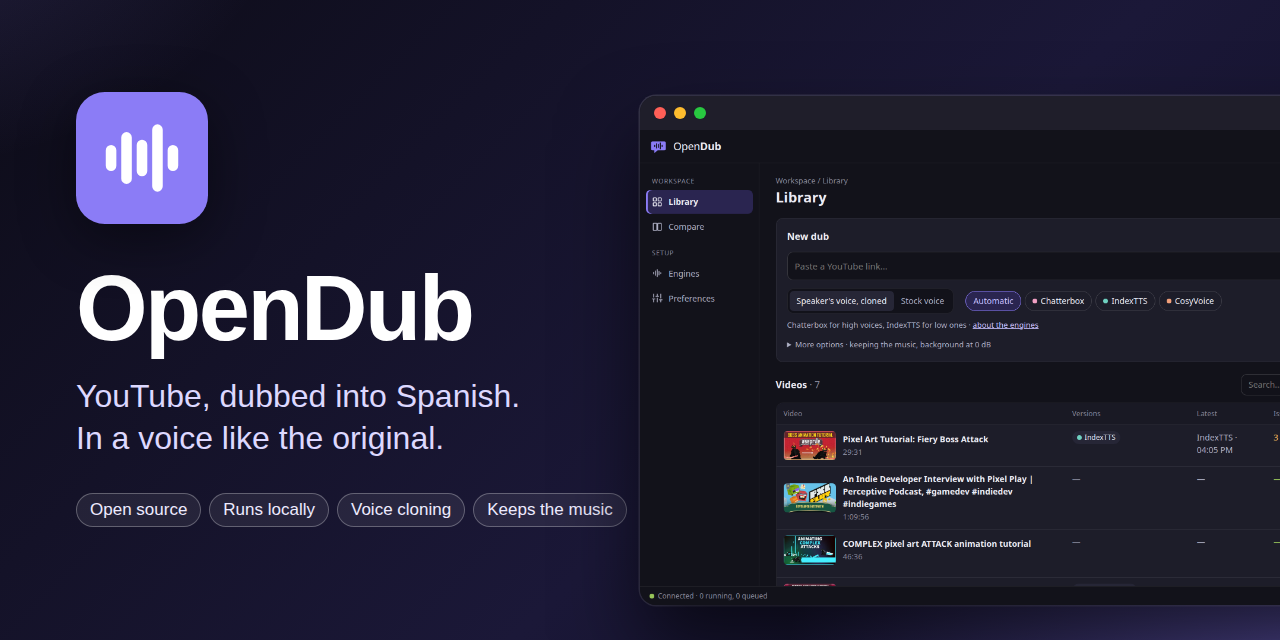
A local dashboard to dub without the command line, in English or Spanish, dark or light, with a choice of accent color (Preferences):
- Library: paste a YouTube link, pick the voice (cloned or stock), the
engine (Automatic by default, or tick several to get a version with each, dubbed
one after another) and whether to keep the music; a dub goes from
the link to the finished video without stopping (reviewing the translation before
the voice is the CLI's
--review); follow the running dub phase by phase, and find every video with its versions, the latest one, its issues and its status. - Video: the player, a timeline with each issue where it happens (click to jump), and every dub kept: each one plays and shows its numbers (voice time, sped up, shortened, below the floor, redone, edge-tts) and its own issues, downloads as MP4, MKV (both audio tracks and subtitles), audio or SRT, and older ones can be deleted (the latest stays). The translation, segment by segment, shows each issue of the version you watch next to its sentence, filters to those or to hand edits, and saves edits. Regenerate speaks again only the edited sentences and those marked for another take (the same text, the next seed of the cloned voice), then mixes a new version: ~30–40 s on a 19-minute video instead of a whole TTS phase. Re-dub… picks the engine (with what it did last time on that video) and keeps the translation by default, so only the voice and the mix run.
- Compare: two versions side by side, playing in sync, heard one at a time (A/B keys), with how each one fitted and the segments where they differ.
- Engines: each engine's license, where it runs, its benchmark figures and whether it is installed (with the command that installs it).
Every dub made is kept (outputs/<date>-<engine>.mp4, with its tts.json and
overflow.log), whatever the engine and however many times the video is dubbed
again; long videos take ~100 MB per version.
uv sync --extra web          # plus --extra separate --extra clone for cloned voices
uv run opendub web           # http://127.0.0.1:8000, opens the browser
It only listens on 127.0.0.1 and runs one job at a time (the others wait in
order); it uses the same work/ folder and cache as the CLI.
To use it from another device on your network (a tablet, the TV's browser):
uv run opendub web --lan # prints a link with an access token for each address
Open that link once on each device: the token is kept in a cookie and taken out of the address bar. Without it, every request gets a 401 and the page only says where to find the link. The token changes on every start, so old links stop working; anyone with a current link can use OpenDub on this computer, so share it only with your own devices. There is no mode open to the network without the token.
Only on networks you trust (your home, not a café's): it is plain HTTP, so the token and everything else travel unencrypted, and anyone on the same network who sees them can use the page. To reach it from outside, use a VPN to your network (WireGuard, Tailscale) rather than opening the port.
--lan --keep-token keeps the same token across restarts, in
~/.config/opendub/lan-token (readable only by you), so the links on your devices
keep working, e.g. with the systemd service below. Delete that file to revoke them:
the next start makes a new one.
Starting the web page on its own
Optional, on Linux: docs/systemd/opendub-web.service
is a systemd user service that starts opendub web with your session and brings it
back if it crashes. Copy it, set WorkingDirectory to your checkout, and enable it:
cp docs/systemd/opendub-web.service ~/.config/systemd/user/
systemctl --user daemon-reload
systemctl --user enable --now opendub-web
Its log is in journalctl --user -u opendub-web (with --lan, the links with the
token are there too). systemctl --user stop opendub-web stops it like a Ctrl+C: a
dub that is running is cut short and goes on from its cache when dubbed again. To
keep it running when you log out: loginctl enable-linger.
The page is a React 19 + TypeScript app in frontend/, built with
Vite into src/opendub/web/static/, which is committed: running it needs no
Node, only changing it does (Node 22+):
cd frontend && npm install
npm run dev      # http://localhost:5173, against a running `opendub web`
npm run build    # rebuild src/opendub/web/static/
Cache and working folder
Everything is stored in work/<video id>/. A phase is skipped if it already ran
with the same parameters, and changing a parameter only redoes that phase and the
ones that depend on it (for example, changing --voice repeats TTS and mixing,
but neither the translation nor the separation).
| File | Contents |
|---|---|
video.mp4, audio.wav, subs.* |
Download |
segments.json |
Original sentences with timestamps |
translation.json |
Translation (you can edit it by hand and rerun tts) |
takes.json |
The seed of each sentence given another take (retouch) |
style.json, translation.style.json |
The video's own translation style, and the one its translation was made with |
translate_blocks/ |
Each translated block, cached by its own inputs |
tts/, tts.json |
One clip per sentence, with its tempo, duration and spoken text (shortened if needed) |
overflow.log |
Sentences that didn't fit their slot, clips with abnormal duration and delayed clips |
stems/vocals.wav, stems/background.wav |
Separated original voice and background |
clone_ref.wav |
10–15 s of the original speaker used as the cloning reference (--tts clone) |
dub.wav, output.mp4 |
Dubbed track and final video |
thumbnail.jpg, job.json |
Web frontend: thumbnail, and the last job's options and outcome |
Each voice's calibrated speaking rate is stored in work/voice_rates.json;
delete it to measure again.
Voice cloning
With --tts clone, dub separates the audio right after transcribing it,
picks the 10–15 s stretch of the original speaker with the fewest pauses as the
reference and measures the cloned voice's speaking rate before translating. The
log prints the reference's mean pitch (F0) next to the engine, and tts.json
keeps both.
Every cloned clip is transcribed back with whisper (--whisper-model); one
whose text doesn't match, or whose duration is abnormal, goes down a fallback
chain that keeps the same voice as long as possible:
- Regenerate with another seed.
- Regenerate with a shorter version of the sentence, written by Claude.
- Clone from the fixed reference (
--clone-ref), if one was given. - edge-tts (
--voice) as a last resort, recorded inoverflow.log.
tts.json records which of these produced each clip. Chatterbox adds Resemble
AI's inaudible Perth watermark to everything it generates. On a GPU with 12 GB or
more, Chatterbox speaks with two processes side by side (about 1.25× faster on a
long video); OPENDUB_CHATTERBOX_WORKERS=1 keeps it to one. CosyVoice does the same
on a GPU with 16 GB (1.7× faster: 438 s to 255 s on an 11-minute video, with a
13.1 GB peak); OPENDUB_COSYVOICE_WORKERS=1 keeps it to one. IndexTTS (7.4 GB)
always speaks one clip at a time.
Choosing the engine
The default, --engine auto, picks by the dub: CosyVoice when several people
speak, Chatterbox for one voice. Heard blind (docs/audit/03-competencia.md,
section 12), CosyVoice won a two-host podcast clearly (4.2 against Chatterbox's
3.0 and IndexTTS's 2.7, preferred in 8 of 10 fragments) and Chatterbox narration
by a little (4.0 against 3.5). Without CosyVoice installed, auto uses
Chatterbox. Any engine can still be chosen per video with --engine.
Before that, Chatterbox and IndexTTS split the benchmark (details in
docs/v2-plan.md): IndexTTS fits its slots far better (41/42
clips without atempo, against 30/42), and by ear it was preferred for the male
voice but not for the female one, where Chatterbox sounded steadier (IndexTTS
sometimes sounds as if trembling). On those two
single-voice videos --engine indextts suited the low voice, Chatterbox the high one.
CosyVoice 3, benchmarked later on the same material, speaks fastest (~16 chars/s), so nearly every clip fits as is (42/42 in the benchmark; none of the 41 clips of the real dubs of both videos needed atempo), with a native accent and the least tremor on the male voice. It clones cross-lingually (reference audio, no transcript) and once in a while garbles a sentence; the quality check catches it (in the female test video, one sentence ended on edge-tts after every retry).
auto used to pick by the reference's pitch (IndexTTS below 165 Hz): a rule
from two voices that the podcast session retired, since IndexTTS came last in a
conversation. The log line and tts.json record the engine and how it was chosen.
The engines fit clips to their slot differently. Chatterbox has no length
control, so clips that don't fit are sped up with atempo (up to --max-tempo)
and, if that's not enough, shortened by Claude. IndexTTS (duration_factor) and
CosyVoice (speed, which stretches the spectrogram before the vocoder) take a
duration factor, and the order is:
- Speak each clip with the factor its calibrated speaking rate predicts for
the slot (IndexTTS's rate is measured at factor 0.85, so translations aren't
cut more than needed), never below
--min-factor(0.7), and correct it once with the measured duration. - If it still doesn't fit, ask Claude for a shorter sentence.
- Only if the shortened sentence doesn't fit either, compress below
--min-factor, down to 0.5, noted inoverflow.log; atempo covers whatever is left.
tts.json records the engine and the factor of each clip. The workers log to
work/indextts.log and work/cosyvoice.log.
Each engine keeps its own license: see Licenses.
Licenses
OpenDub's own code, this repository, is under the MIT license. It
covers OpenDub's code only. The voice engines and models run in their own venvs,
are downloaded from their authors when installed (uv sync --extra …,
setup-engine, Hugging Face), are not redistributed here, and each keeps its own
license:
| Component | License | Notes |
|---|---|---|
| Chatterbox Multilingual V3 (Resemble AI) | MIT | Its output carries Resemble AI's inaudible Perth watermark |
| IndexTTS-2.5 (bilibili) | bilibili Model Use License Agreement | Allows this personal use; separate license above 100 M monthly users; outputs may not train other models; revocable (details) |
| CosyVoice 3 (Alibaba FunAudioLLM) | Apache 2.0 | Code and weights |
| Nemotron 3 Diarization (NVIDIA) | OpenMDW 1.1 | Several voices |
| HTDemucs (demucs) | MIT | Separation |
| faster-whisper and the Whisper models | MIT | Transcription, quality check |
| yt-dlp | Unlicense | Download |
Two services are used online: edge-tts talks to Microsoft's read-aloud voices (not an official API, under Microsoft's terms), and the translation sends the transcript to Anthropic (Claude) under your subscription or API terms. OpenDub is a personal tool: it is not packaged or supported for distribution.
Responsible use
OpenDub is a tool for personal use: watching in Spanish videos you'd otherwise watch in English. Don't publish dubs made with cloned voices of other people.
- Clone a voice only with the consent of the person it belongs to, and don't present a cloned voice as that person speaking.
- Dub only what you may adapt (your own videos, content whose license allows it, personal study): a dub is a derivative work of its source, and the rights of the original video stay with its owners.
Known limitations
- If a sentence still doesn't fit at 1.25× after two shortening rounds, the next clip is delayed instead of overlapping; the drift is recovered at the next pause.
- On a Mac, faster-whisper runs on the CPU (CTranslate2 doesn't use Metal):
smalltranscribes about 2 minutes of audio in ~20 s. - edge-tts relies on an unofficial Microsoft service and could stop working.
- Voice cloning follows a single speaker (the one in the reference); videos with several voices are all dubbed with that one.
- On Linux, whisper uses the GPU only when cuBLAS and cuDNN can be loaded: they
come with
uv sync --extra separate(PyTorch's CUDA wheels) or a system CUDA install; otherwise it falls back to the CPU with a warning. Tested on an RTX 5080:large-v3transcribes 2.5 minutes of audio in ~10 s.
Benchmarks
The scripts behind the engine choices (generation, CER, accent, voice
similarity, F0, jitter and 3–9 Hz tremor) are in docs/bench/;
uv run docs/bench/run.py <name> scores a new model against all the others.
Tests
uv run pytest
They need ffmpeg and the web extra, but no GPU and no voice engine: every
test that would reach one replaces it. GitHub Actions runs them on each push
and pull request (.github/workflows/ci.yml), and also checks the frontend:
its types, and that the committed build in src/opendub/web/static matches
what npm run build makes from frontend/ (rebuild and commit it after
changing the frontend).