OpenLibrary
ProductoBiblioteca personal self-hosted para tus libros físicos. Web y Android.
TypeScript
Más información Abrir en GitHub →
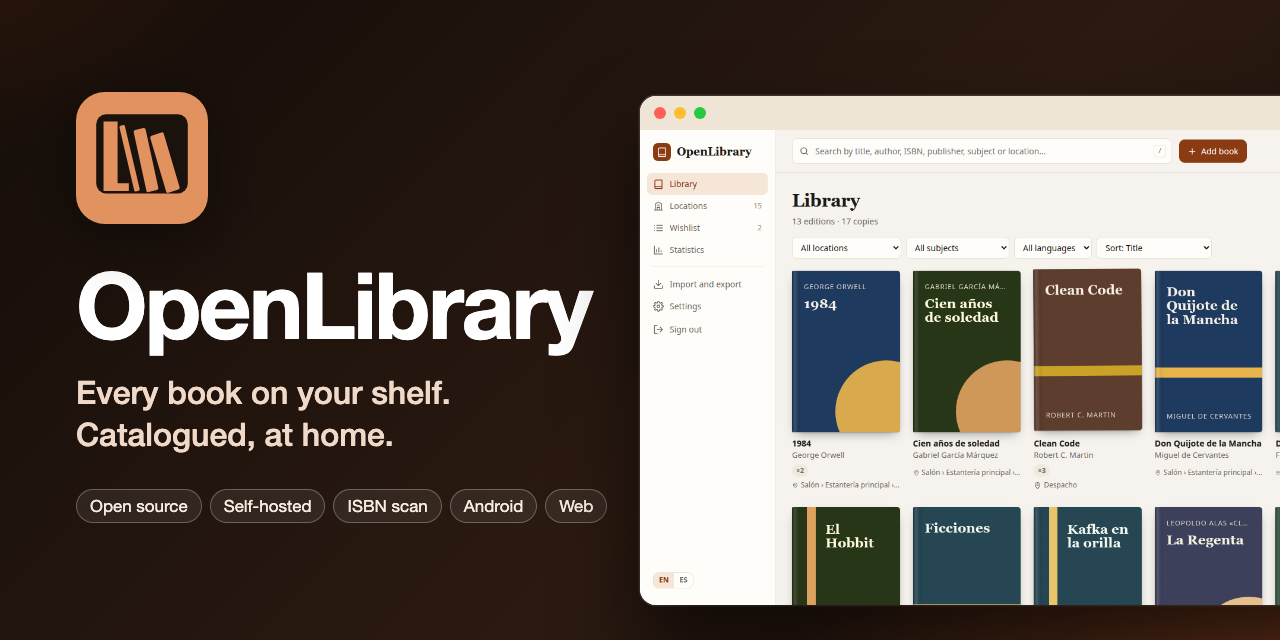
A personal library for physical books: a server (one Docker container that keeps all its state in one folder, running on Railway or on your own machine), a web app to manage the catalog and a native Android app with ISBN scanning and offline mode. The app is available in English and Spanish.
- Analysis and technical design → docs/01-analysis-and-design.md
- Deployment on Railway → docs/deployment-runbook.md · service notes → docs/railway.md
- Self-hosting (Ubuntu + Tailscale) → docs/self-hosting.md
- Clickable prototypes (Spanish, design reference) →
prototypes/
Structure
apps/server         API (Fastify + TypeScript + SQLite/Drizzle) and admin CLI
apps/web            Web app (React + Vite), served by the server itself
packages/contracts  Shared API schemas (zod), ISBN logic and i18n catalog
deploy/             Railway provisioning script; Docker Compose, backup/restore/update scripts, systemd timers (self-hosting)
prototypes/         HTML prototypes of the web and Android apps
Development
Requirements: Node 24.
npm install
npm run cli -w @openlibrary/server -- set-password   # creates the password in ./apps/server/.data
npm run cli -w @openlibrary/server -- demo-data en   # optional: sample locations and 12 books (en|es)
npm run dev:server                                   # API on http://localhost:8080
npm run dev:web                                      # web on http://localhost:5173 (proxies /api to the server)
For the web dev server, create apps/server/.env with EXTRA_ORIGINS=http://localhost:5173.
npm test            # server tests
npm run lint        # ESLint + Prettier
npm run typecheck
npm run build       # web + server (apps/*/dist)
Translations
- Web UI:
apps/web/src/i18n/en.ts(source of the keys) andes.ts(type-checked to have exactly the same keys). - Server messages:
apps/server/src/i18n.ts; shared labels and validation messages:packages/contracts/src/i18n.ts. A test checks both languages have the same keys. - The server picks the language from
Accept-Language(English by default); the web sends the language chosen by the user.
Prototypes
python3 -m http.server 8765 --directory prototypes
Web: http://localhost:8765/web/ · Android: http://localhost:8765/android/