OpenPassword
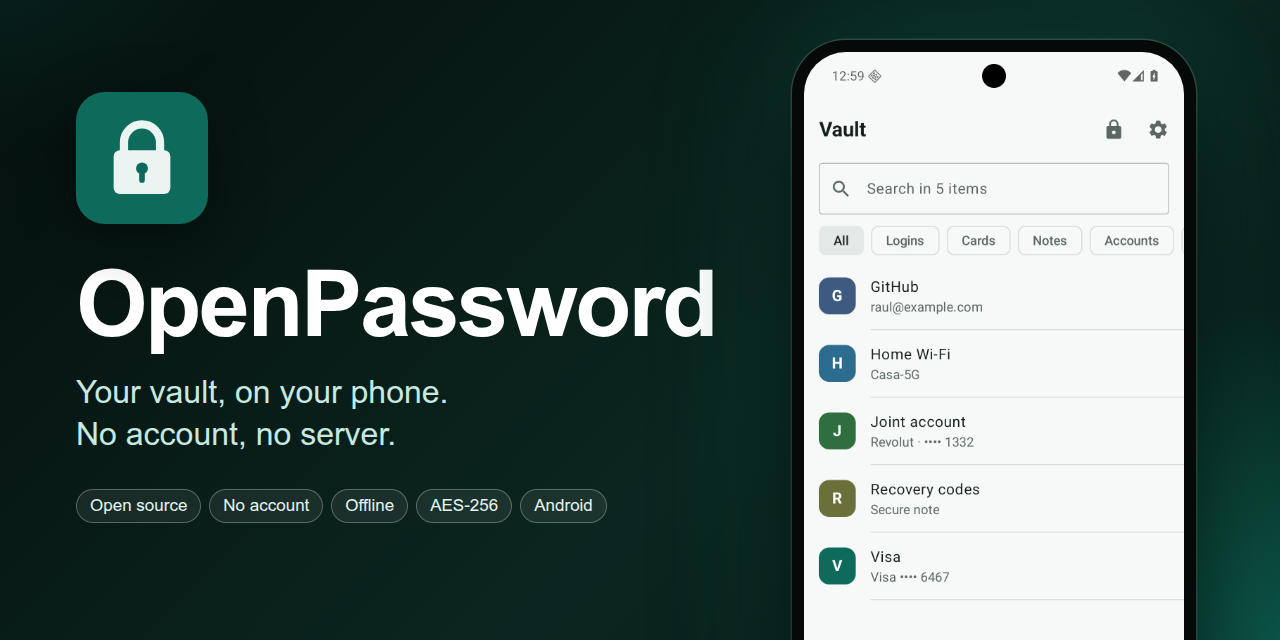
ProductoGestor de contraseñas, tarjetas y secretos offline-first para Android, con núcleo criptográfico en Rust.
Últimas versiones Ver las 2 →
v0.1.0ÚltimaSigned APK for tag v0.1.0 (commit 14ddd25).
Automatic build of main at 2597c40.
Más información Abrir en GitHub →
Password manager for passwords, cards, PINs and secrets, offline and without a server. Android first.
Personal project. I use it on my own phone: it is not published in any store, it has no external users or support, and it has not gone through an external security audit. If anyone else uses it, they do so at their own risk. What is done and tested is what protects the vault: encryption, automatic backups, restore and a set of tests and fuzzing that have found real bugs.
What it does
- Vault for logins, cards, bank accounts, PINs, documents, Wi-Fi networks, secrets and notes, with accent-insensitive search, filters and favorites.
- Autofill in other apps and in the browser, with domain checking (public suffix list included) and without accepting the domain declared by an app that is not a browser.
- Unlock with master password or fingerprint, automatic lock and
FLAG_SECURE(no screenshots). - TOTP codes: scanned with the camera, read from an image or pasted from
otpauth://. - Encrypted images (ID card, cards, policies) attached to any item, taken with the app's camera or picked from the gallery. They are only visible inside OpenPassword: they are not shared or saved outside.
- Generator of passwords, PINs and passphrases (EFF list).
- Automatic encrypted backup to a folder you choose (cloud, Syncthing or SD card) and manual
.opvaultexport. - Import from KeePass, 1Password, Bitwarden, Chrome, Firefox and CSV.
- Emergency kit in PDF for printing, with the secret key.
- English and Spanish, English by default: it follows the phone's language and can be changed in Settings.
Full detail in android/README.md.
Getting started
Requirements: JDK 17, Android SDK with platform 37 and NDK 30.0.16248370, Rust with the Android
targets and cargo-ndk 4.1.2, as explained in android/README.md.
cd android
./gradlew :app:installDebug     # installs io.github.rldona.openpassword.debug
Downloading the APK
Every push to main publishes a signed build; v* tags create their release:
- Latest build of
main: https://github.com/rldona/OpenPassword/releases/download/latest/OpenPassword.apk - Published versions: https://github.com/rldona/OpenPassword/releases
The APK is signed with the release key (fingerprint in android/README.md), so
it installs over the previous version without losing the vault. Do not uninstall it to
update. The debug build (io.github.rldona.openpassword.debug) has its own identifier and its own
data: it can live alongside the release one.
What matters most: not losing the vault
The real risk is not an attack: it is losing the phone, forgetting the master password or running out of the secret key. Three things cover it:
-
Paper emergency kit. The app generates it at signup and in Settings. It contains the secret key. Keep it with your important documents. Without that key, a backup cannot be opened.
-
Automatic backup. It is written encrypted to the folder you choose, keeps the last 10 and only deletes its own (
openpassword-auto-…opvault). With the vault locked no backups are made: pending ones are made on unlock. -
Tested restore. Once a year, or when changing phones: export a backup, install on a clean phone and restore with the secret key from the kit. If you have not tested it, you do not have a backup.
Full cycle verified on 2026-10-30 on an SM-S948B (Android 17): export, uninstall, reinstall and restore. The four test items came back with their password, user and URL intact, and the exported backup was also decrypted with
opvault decryptfrom the computer.
Do not uninstall the app to update it: install the new version over it (./gradlew :app:installDebug
or adb install -r). Uninstalling erases the vault and the Keystore keys, and not even a .opvault
backup is enough without the secret key.
Updating
Download the new APK from Releases and open it, or
install it with adb:
adb install -r OpenPassword.apk
It installs over the previous version. For development, git pull and ./gradlew :app:installDebug.
The .opvault v1 format does not change between versions: if it ever changes, it will be a new
version of the format, not a reinterpretation of the previous one (see the vectors in
core/tests/vectors/op-v1.json).
Development
Use the Rust version pinned in rust-toolchain.toml; rustup installs it by
itself.
cargo test --workspace          # unit tests, official vectors and v1 golden vectors
cargo clippy --workspace --all-targets -- -D warnings
cargo deny --locked check       # advisories, licenses, duplicates and sources
cargo build --release -p opvault-cli
Android:
cd android
./gradlew :app:lintDebug :app:testDebugUnitTest :app:assembleDebug
Trying the CLI
SK=$(./target/release/opvault new-secret-key)
./target/release/opvault sample demo.opvault --secret-key "$SK"
./target/release/opvault inspect demo.opvault
./target/release/opvault decrypt demo.opvault --secret-key "$SK"
Test vectors
core/tests/vectors/op-v1.json pins every byte of the v1 format. If a change breaks them, it is
incompatible with existing vaults: a new version of the format has to be created, not the vectors
regenerated. Any other implementation (Kotlin, Swift) must pass the same file.
What is in the repository
| Path | Contents |
|---|---|
core/ |
op-core, the Rust core: key derivation, per-item encryption and .opvault format |
ffi/ |
op-ffi, UniFFI bindings of op-core for Kotlin |
cli/ |
opvault, a tool to inspect and decrypt backups without the app |
fuzz/ |
cargo-fuzz targets for the parsers that read untrusted data. See fuzz/README.md |
android/ |
Android app: Kotlin + Jetpack Compose. See android/README.md |
docs/crypto-spec.md |
Cryptographic specification v1 (normative) |
docs/opvault-format.md |
Backup file format |
docs/threat-model.md |
Threat model |
docs/archive/ |
Material from when the project was planned as a public product: proposal, distribution plans and audit package. Not maintained. |
Design summary
- The master password (Argon2id, 256 MiB) is combined with a 128-bit secret key. A stolen backup cannot be attacked by brute force without it.
- Each item has its own key. Everything is encrypted with XChaCha20-Poly1305, metadata included.
- Each image attachment is a separate encrypted record, sealed with its item's key and inside
.opvaultv2 backups. It is rescaled and re-encoded when saved, so it loses EXIF and GPS. - Each encrypted block is bound to its context (vault, item, revision, part) through associated data.
- The app has no Internet permission. Backups are written encrypted to the folder you choose.
Security
There is no external audit. The internal review, the findings and their status are in the archive
(docs/archive/audit/internal-review.md); the known bugs
accepted as residual risk are in docs/threat-model.md.
If you find a bug, open it as a normal repository issue: there are no users to protect.
License
GPL-3.0-or-later. See LICENSE.
Third-party components
- Wordlist for passphrases: EFF Large Wordlist from the
Electronic Frontier Foundation, under CC BY 3.0 US.
Only the word column is included (
android/app/src/main/assets/eff_large_wordlist.txt). - Public suffix list: Public Suffix List
from Mozilla and contributors, under MPL 2.0. Included unmodified
(
android/app/src/main/resources/public_suffix_list.dat); autofill uses it so as not to offer agithub.ioorco.ukcredential to any subdomain.